01
It has to suck less
dwm, st, dmenu, slock and tabbed: configured in C, compiled in. The suckless philosophy of simplicity, clarity and frugality.

0
Abyss Linux — by MrZaKaRiA
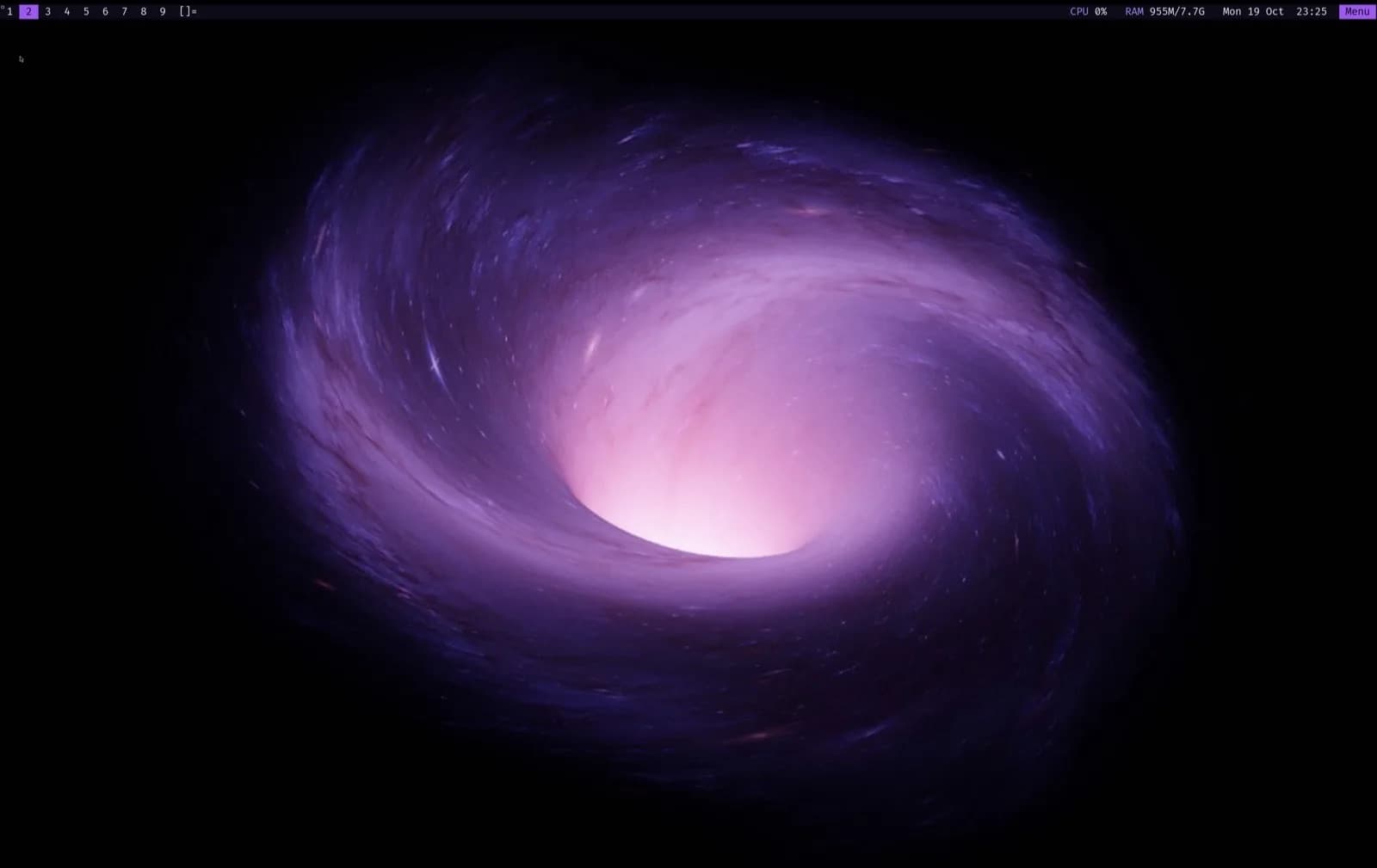
A minimalist, rolling-release, systemd-free desktop built on Void Linux and the suckless tools: small programs you can read in an afternoon. dwm, patched and themed in Abyss purple, one Menu for everything else, and about 300 MB of RAM at idle. Release 27.0 is out for x86_64 and aarch64.
The idle desktop: dwm, a status bar with CPU, RAM and the clock, and nothing you did not ask for.
A service is a directory with a run script. Boot takes seconds.
PCs, laptops and virtual machines, plus Apple Silicon virtual machines and ARM64 boards.
Scripts, overlay and docs. Free to download, read and change.
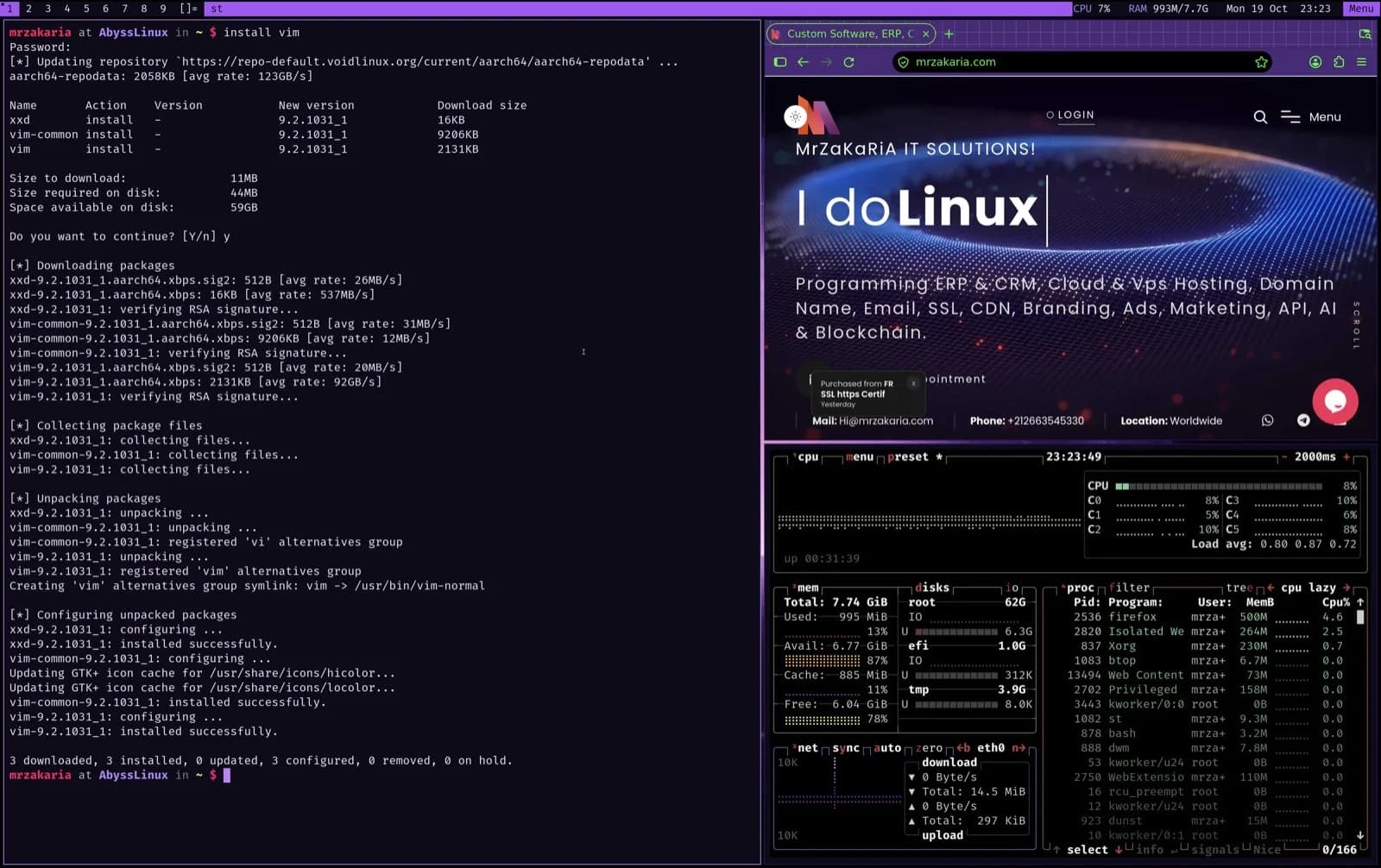
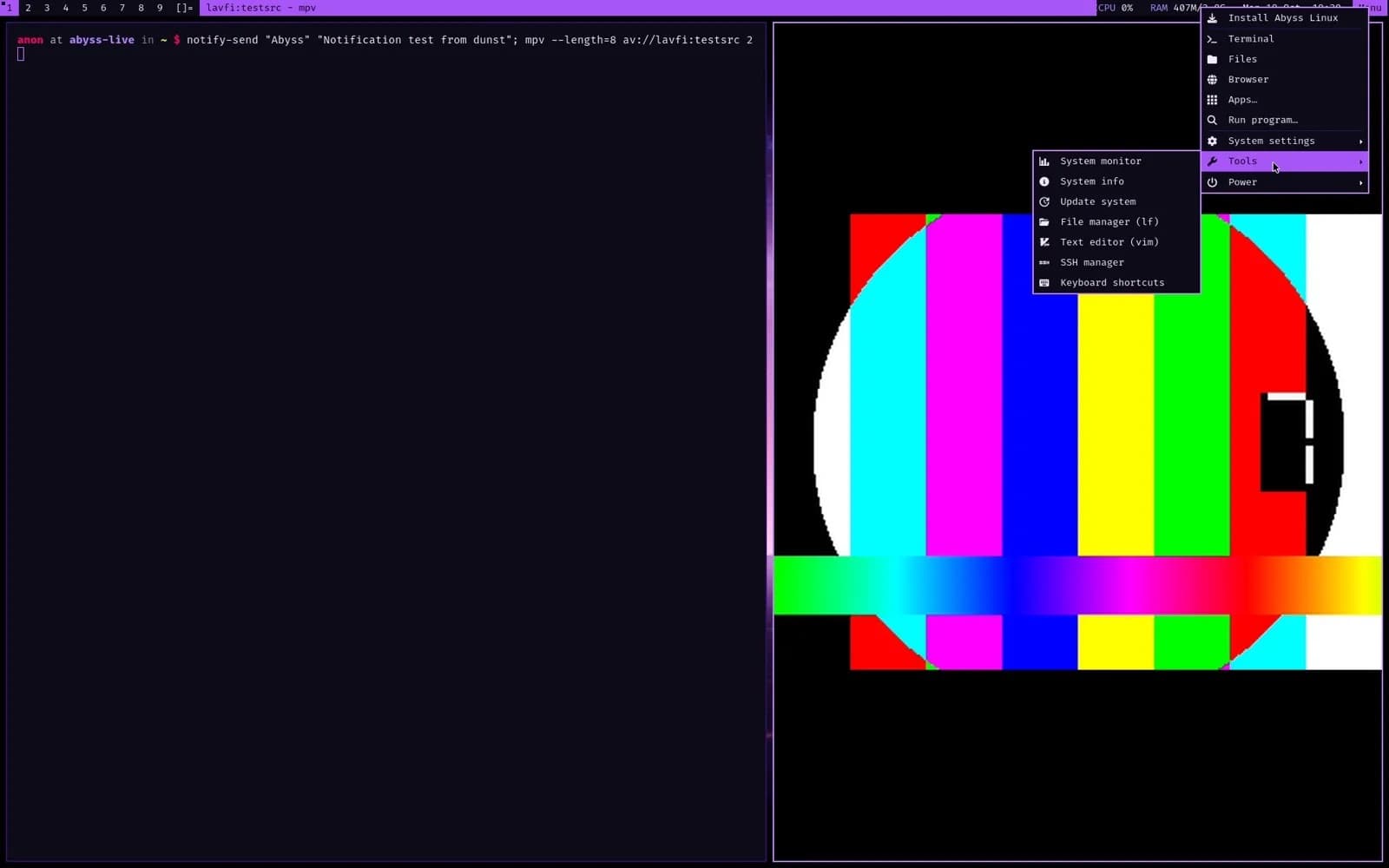
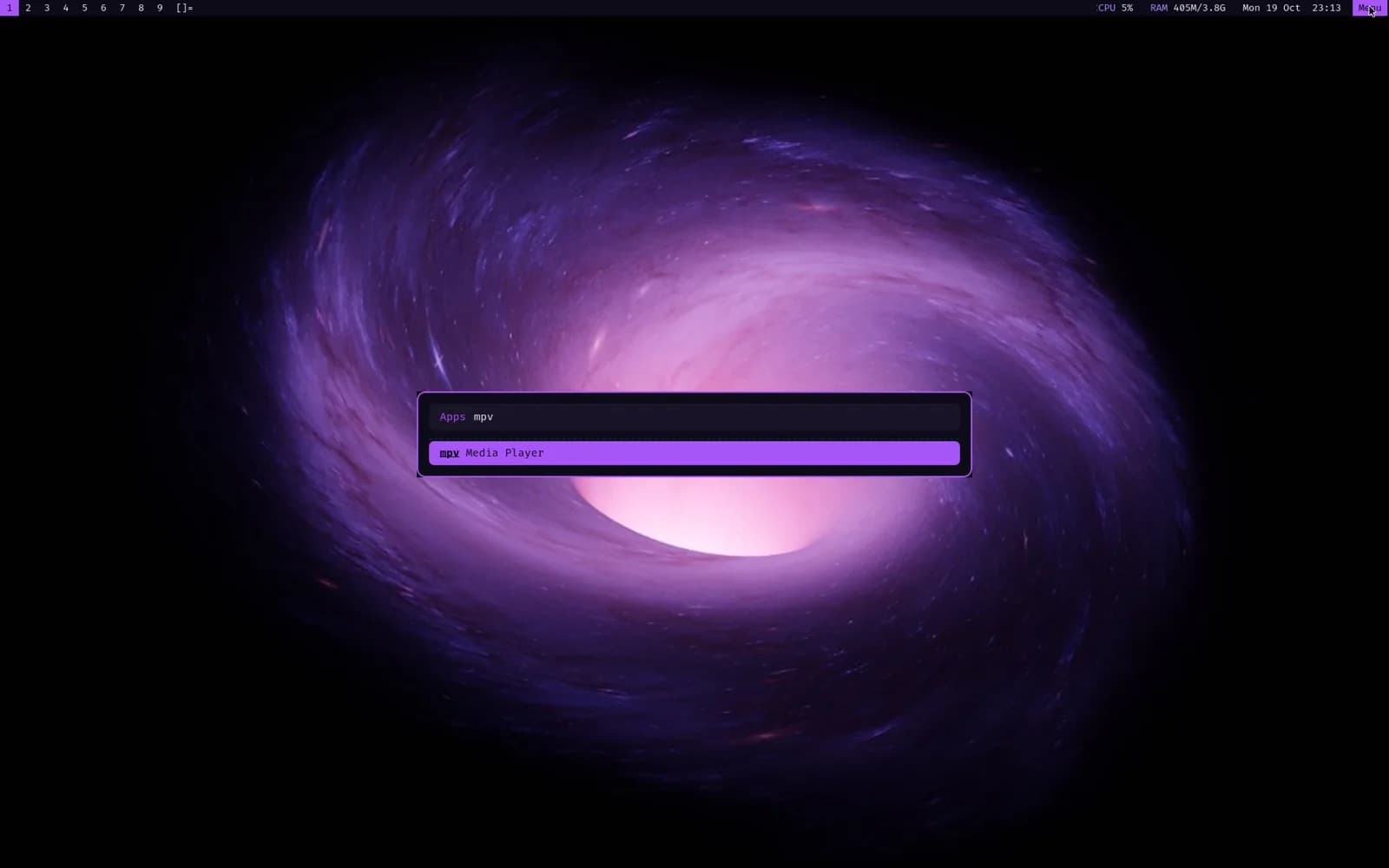
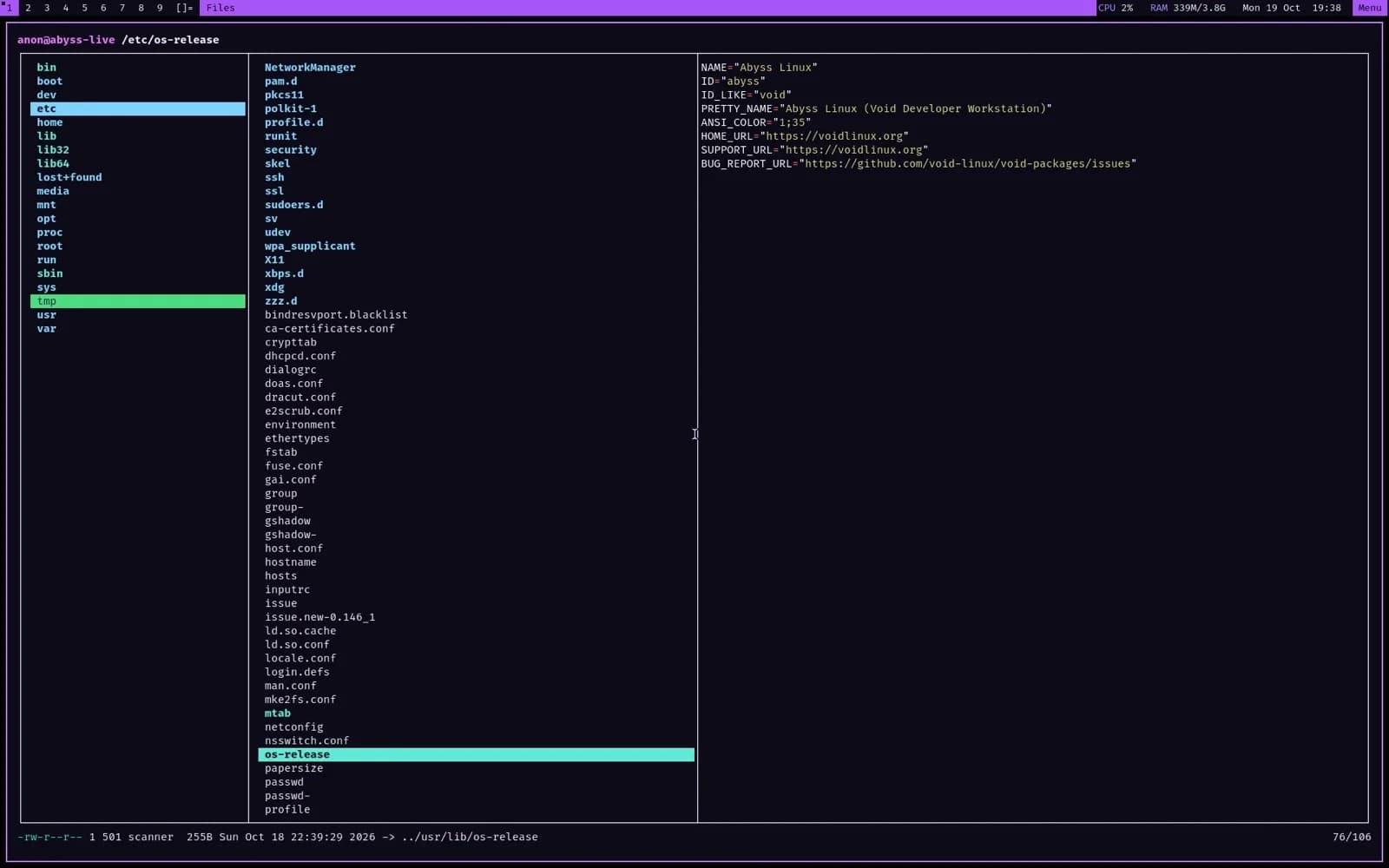
The pieces of the desktop, each one small enough to read.
The desktop
dwm, patched and themed in Abyss purple, with a status bar showing CPU, RAM and the clock, and one Menu button for everything else. HiDPI is handled for you: Xft.dpi is set automatically, at 2× in Apple Virtualization.
Keyboard first
Super is the mod key. dwm grabs the essentials, sxhkd takes Super+Alt+letter, and media keys just work through PipeWire. Super+F1 shows every shortcut.
Rolling updates
The Void base, your apps and the Abyss suckless builds update together with sudo xbps-install -Su. The patched dwm, st and dmenu come from the Abyss PMR, a signed XBPS repository built by GitHub Actions, so new suckless releases arrive without a new ISO.
Philosophy
The rules Abyss Linux was built to, in the order they are written on its site.
01
dwm, st, dmenu, slock and tabbed: configured in C, compiled in. The suckless philosophy of simplicity, clarity and frugality.
02
No big-bang upgrades every six months. One command keeps everything current.
03
runit: a service is a directory with a run script, and boot takes seconds.
04
Start from almost nothing and add only what you need.
05
100% Void underneath: Void's repositories, kernel and tools, with its own package manager XBPS and its own build system xbps-src.
Licence
A community project, MIT licensed for its scripts, overlay and docs. It is not affiliated with Void Linux or suckless.org.
The story
“For years I hopped from distro to distro. I wanted small programs I can read in an afternoon. A rolling release. No systemd. A minimal base. And not a fork of a fork. Void Linux met every one. Abyss is the desktop I built on top of it, packaged so anyone can use it.”
— MrZaKaRiA, creator of Abyss Linux
Abyss is the desktop side of the same Linux work MrZaKaRiA does for businesses. For servers, see Linux server management, or get in touch about a project.
Install
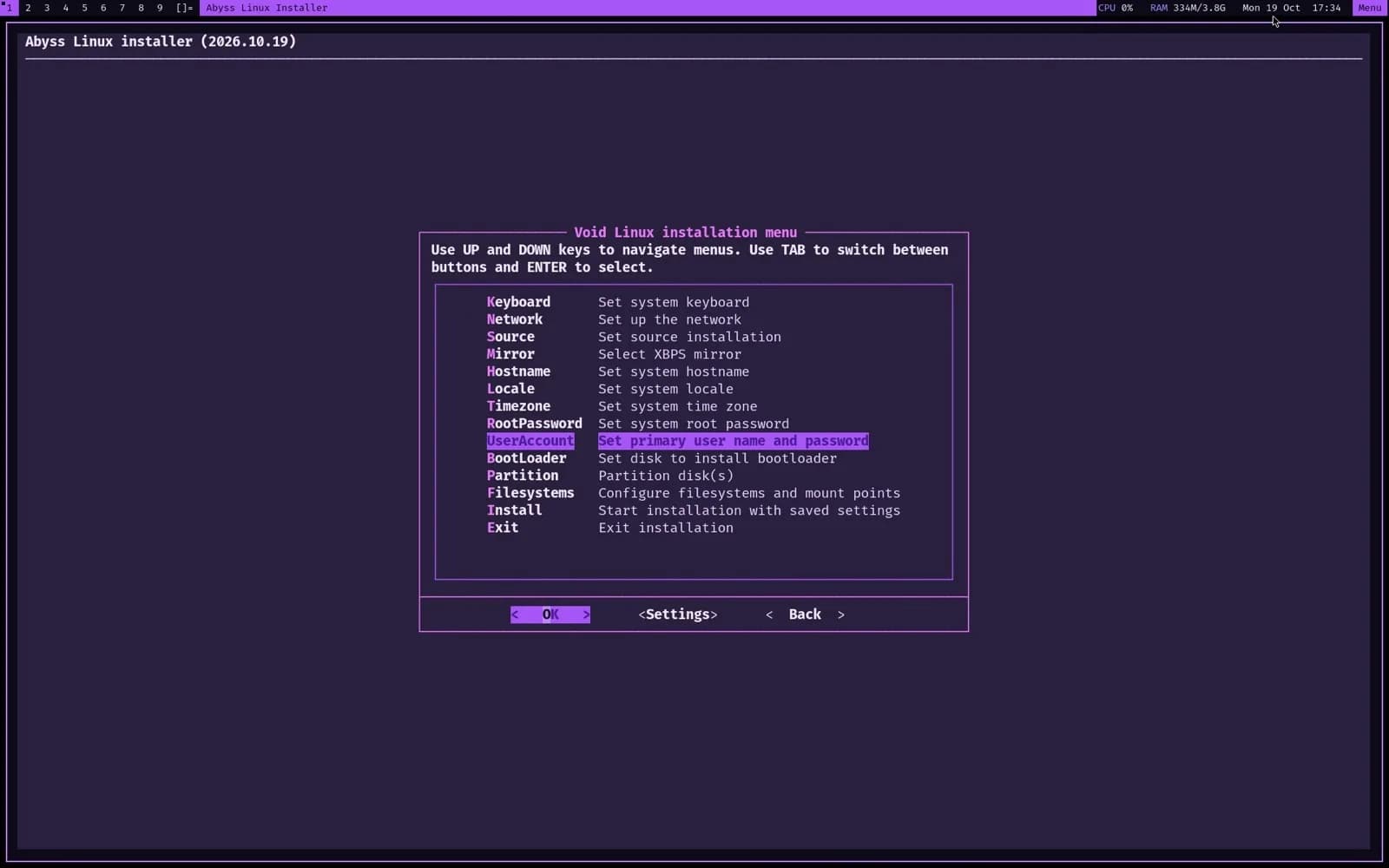
The installer is Void's own void-installer with Abyss changes: one-step automatic UEFI partitioning, a removable EFI fallback for virtual machines that forget NVRAM entries, and a clean login on first boot.
The boot is silent and lands on the desktop. Hold Esc or Shift to see the GRUB menu.
Menu (top right), then Install Abyss Linux. It opens in a large, dark, high-contrast terminal.
Hostname, root password and your user account. Then Partition, auto.
GPT, a 1 GB EFI partition and an ext4 root. The live system is copied, so no network is needed.
Remove the ISO, log in on tty1, and the desktop starts on its own.
Requirements
Released 20 October 2026. Verify the download with sha256sum -c SHA256SUMS (on macOS: shasum -a 256 -c SHA256SUMS).
FAQ
Short answers, taken from the project's own site.
A minimalist, rolling-release, systemd-free Linux desktop built on Void Linux and the suckless tools (dwm, st, dmenu, slock and tabbed), made by MrZaKaRiA.
No. It is 100% Void underneath: Void's repositories, kernel and tools. Abyss adds the desktop, its patched suckless builds and an installer on top.
Run sudo xbps-install -Su. The Void base, your apps and the Abyss suckless builds update together.
runit. A service is a directory with a run script, and there is no systemd.
Yes, as a virtual machine: the aarch64 ISO boots under UEFI in Apple Virtualization, UTM and Parallels, and on ARM64 servers and boards.
Yes. Abyss Linux is a community project; its scripts, overlay and docs are MIT licensed. The ISOs are on GitHub Releases.
Ready when you are
Download Abyss Linux 27.0 for x86_64 or aarch64 from GitHub, verify it, and boot it. The full tour, the shortcuts and the release notes are on abyss.mrzakaria.com.